52% Off Annually Data Recovery For Windows
Save big with 52% on Stellar's top rated annual data recovery software for Windows devices.
Terms and conditions
- Subject to availability.
- See the Stellar website for full terms and conditions.


Save big with 52% on Stellar's top rated annual data recovery software for Windows devices.
Terms and conditions
The Android data recovery application is available for $29.99, assisting users with recovering deleted files and mending corrupted data on their Android devices.
Terms and conditions
Offer subject to product availability. Please see the brand's website for full terms and conditions.
Get your important files back with Stellar's monthly data recovery for Windows, now with $10 off.
Terms and conditions
Never miss cashback. Our free Chrome extension alerts you automatically at every partner store.
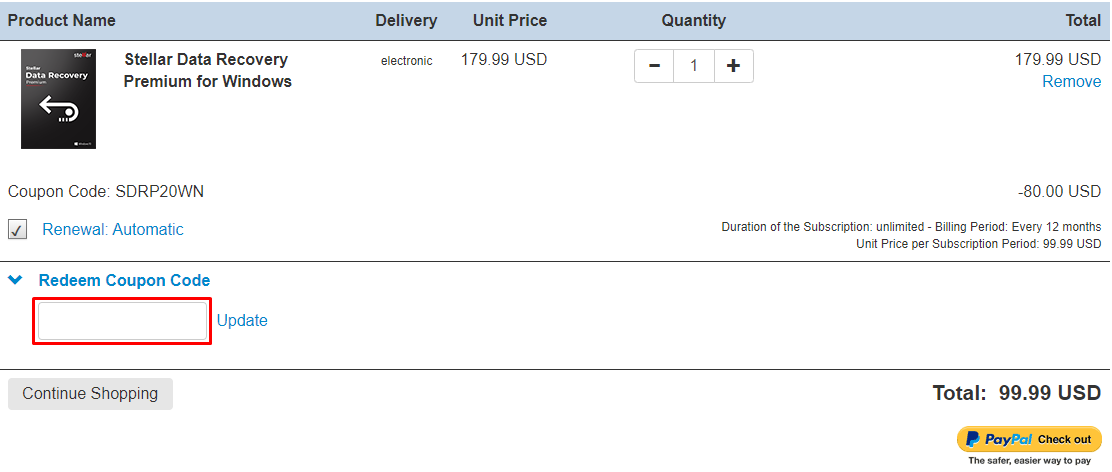
Here are some great tips & tricks for extra savings at Stellar:
Stellar accepts VISA, Mastercard, American Express, Discover Card, JCB, and Union Pay.
Yes, Stellar is available Worldwide.
Open Stellar password recovery for MS SQL. ‘Select Database’ with the ‘Browse’ button. Click and locate the ‘master. MDF is a database file that is responsible for maintaining the details of all the users in the SQL database. After that file is fetched, click ‘Open’. The path of the file will appear in the bar. In addition, all the Users including the System Administrator get listed in a table. From this table, select the user, whose password is forgotten. Then click ‘Change Password’. The software then gives you the option to reset the password. Enter the new password and reenter the same for confirmation. Click ‘OK’. The password is now reset. NOTE: You may close the service temporarily during the password reset process, as the running service may affect it.
Yes, SQL Backup Recovery software included in the toolkit needs an MS SQL server to be installed on the system where you want to perform the recovery. You should start all SQL Server services before initiating the recovery process. However, MS SQL Server is not required to show the database preview.
Stellar toolkit for MS SQL is a collection of the following software:
They recommend you not format the card as it may reduce the chances of recovery. You can scan your card with the below-mentioned demo version of Stellar Data Recovery software to check the possibility of recovery. After the scan is completed, you can see the list of files in the software. You can select any file to check the preview and to know whether it can be recovered or not. Once you are satisfied with the preview shown in the demo version then you can purchase the software.
To install the software:
Phone +91-124-4326-777